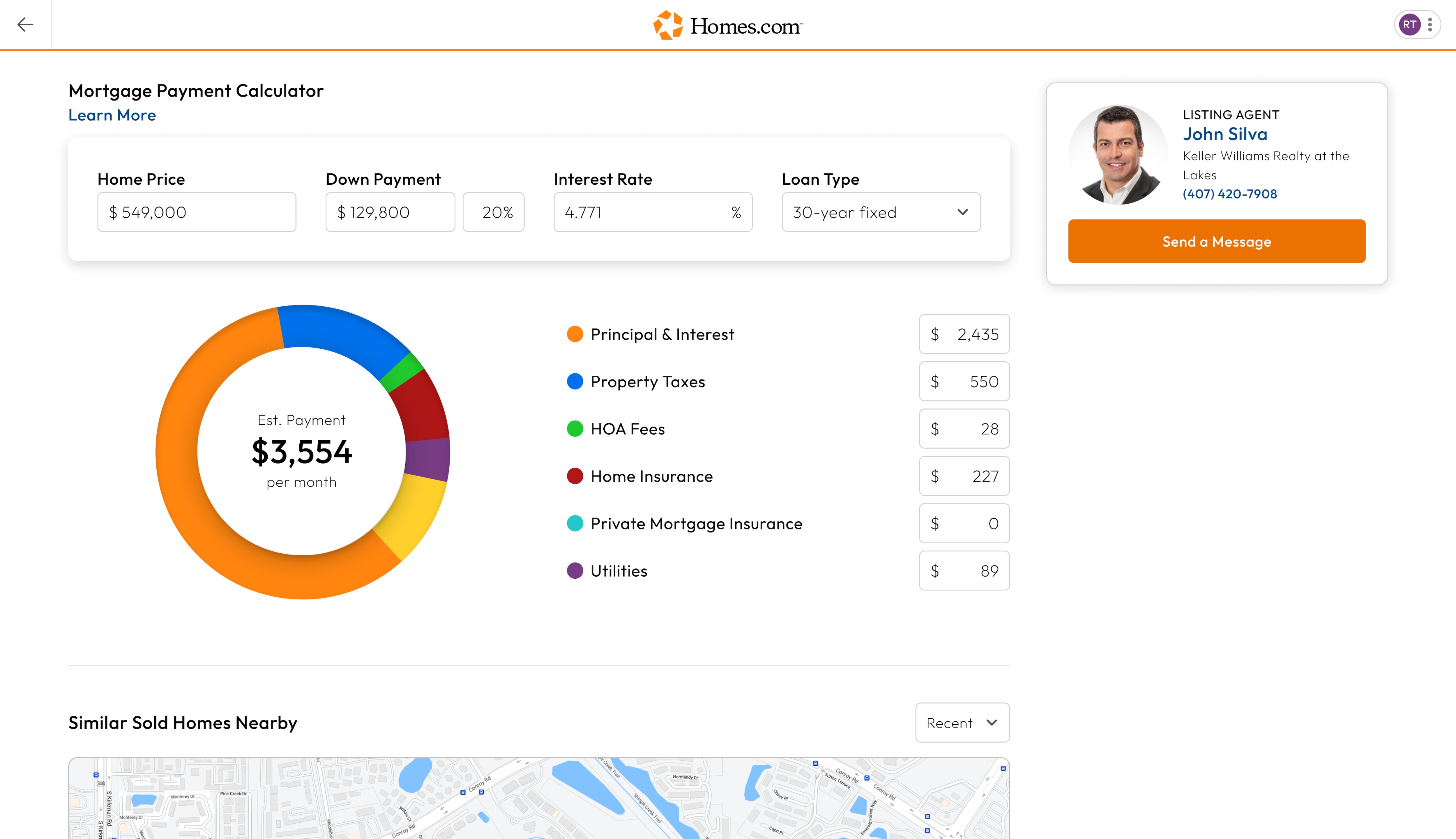
After you search for a home and click or tap on a house you like, you’ll arrive at the listing details page. To calculate your monthly payments, there’s a pie chart in the “Monthly Payment Calculator” section, which is located below the “Property Details” section.
In the Monthly Payment Calculator, you can calculate your principal and interest along with some of the other costs that come with home ownership, such as property taxes, HOA fees, home insurance, private mortgage insurance, and utilities.
In each section, you can put how much each item would cost, and in the middle of the circle on the left of your screen, you can see your estimated monthly payment.
If you need help determining your budget, read our How-To guide.