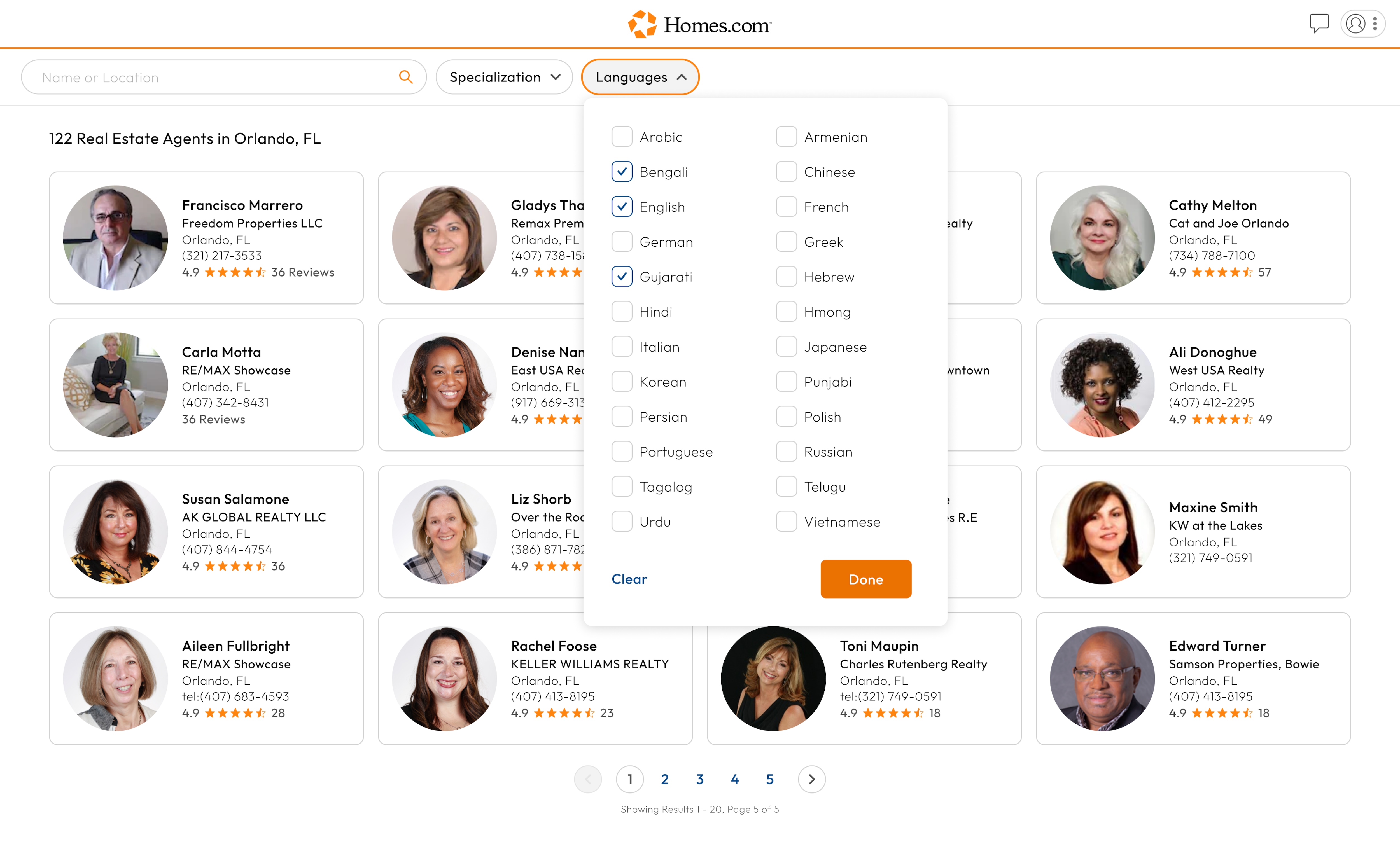
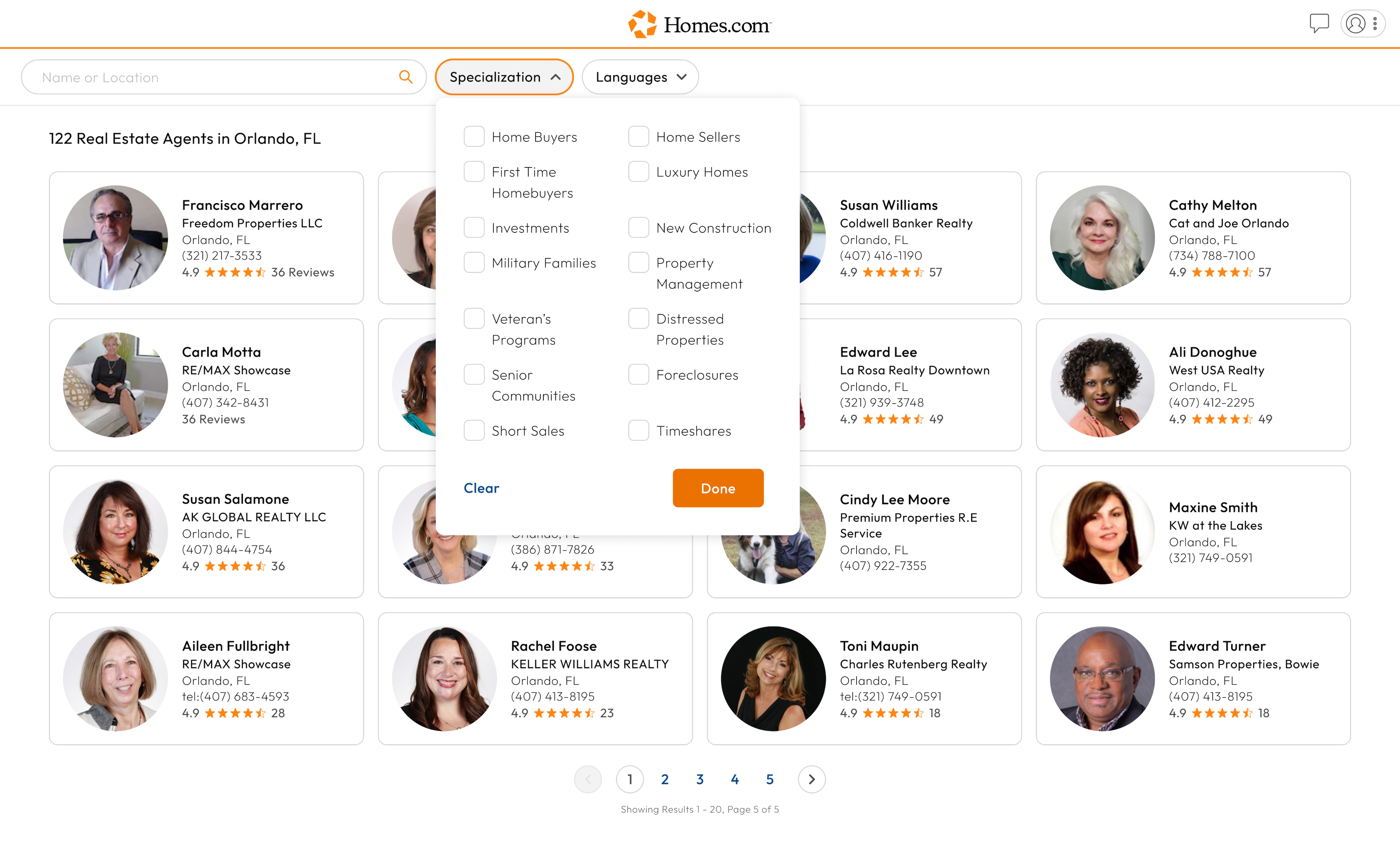
To search for agents by specialty, first complete a search for agents by location. Once you have done this, you can sort agents by their specialty. Click or tap on the “Specialization” button that is located to the right of the search bar.
Once you have clicked or tapped “Specialization,” a drop-down menu should appear. From there you should be able to select any specialty you would like your agent to have.
Once you are done selecting specialties, click or tap “Done” in the bottom right corner of the drop-down menu.
If you are finished and would like to clear the specialties you have selected, click or tap on the “Specialization” button then click or tap “Clear” in the bottom left corner of the drop down menu.